Why Railroads Matter
OpenFront railroads turn a group of economic buildings into a train network that can generate gold at stations. They matter because a factory can automatically create rail connections and spawn trains when eligible buildings are placed on land within range.
Railroads are an experimental feature introduced in version 24.0 for single-player games and private lobbies. Public lobbies have the feature disabled by default, so check the lobby settings before planning a rail network.
A working network combines factories with cities or ports. Factories create trains, while cities and ports serve as the stops that can produce gold when visited.
| Component | Role in the railway network |
|---|---|
| Factory | Produces trains and automatically spawns railroads to connectable buildings |
| City | Connectable station and gold settlement point |
| Port | Connectable station that can pay gold when visited |
| Railroad | The track on which trains travel |
How OpenFront Railroads Connect Buildings
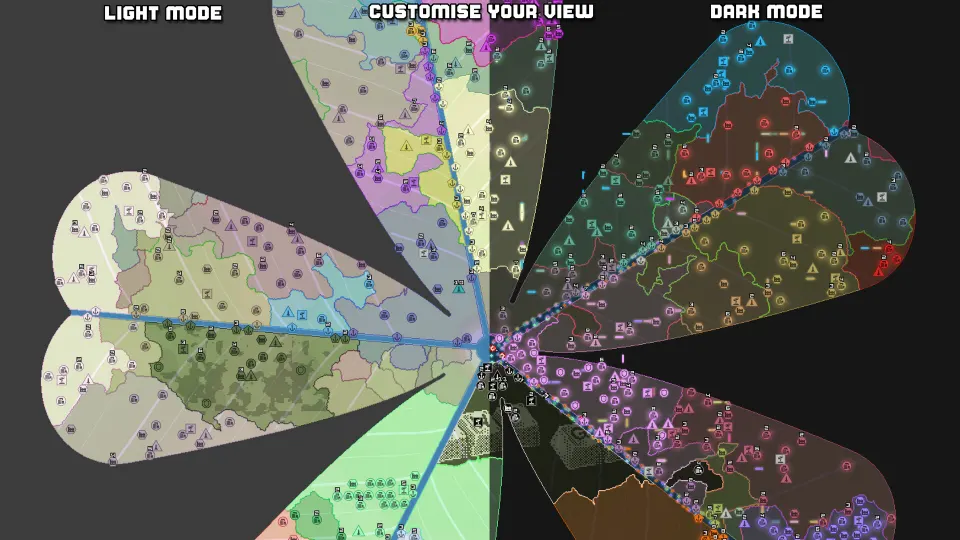
Factories spawn trains and railroads automatically when two or more connectable buildings have been placed within range on land. The listed connectable buildings are factories, ports, and cities.
A railroad is required for train travel. When a factory and a city or port are placed near each other, railroads can be spawned between them. Adding more nearby eligible buildings can create additional rail and form a mesh rather than a single straight route.
The current OpenFront Wiki states that railroads travel directly in cardinal directions. This makes building placement especially important: a network depends on where stations sit relative to one another, not only on how many buildings exist.
| Connection detail | Reported information |
|---|---|
| Connectable buildings | Factory, City, and Port |
| Land requirement | Factories connect when buildings are placed within range on land |
| Railroad direction | Direct cardinal directions |
| Train requirement | Trains may travel only where a railroad exists |
| Network shape | Additional buildings can create a mesh or a train loop |
Different public references report different distance values, likely reflecting different versions or documentation snapshots. The current OpenFront Wiki says factory connections occur between 15 and 100 units, with an individual railroad connection maximum of 120 units. An older Miraheze page lists 80 as the maximum connection distance and 100 as the maximum single-connection length.
For current planning, treat the newer values as the more relevant reference while leaving room for intermediate stations if a long connection does not form.
| Distance rule | Current wiki / FYI value | Older Miraheze value |
|---|---|---|
| Station connection range | 15 to 100 units | Up to 80 |
| Maximum railroad connection length | 120 units | 100 |
| Suggested loop size | 80 to 120 tiles | Not listed |
| Long single segment warning | Over 100 tiles may not connect | Not listed |
Trains and Gold at Stations
Factories are the train production source. The OpenFront Wiki says that trains are spawned through a probabilistic mechanism influenced by the number of available stations in a connected cluster. More eligible stations increase the probability that a train will spawn.
A train earns gold when it visits qualifying buildings. The wiki identifies ports and cities as the train stations that pay gold; factories are connectable, but they are not listed as gold-paying train stations.
Public references give different payment descriptions. The OpenFront Wiki reports 10,000 gold for an owned or unallied building and 35,000 gold for an allied building. OpenFront FYI separates team-city revenue from ally-city revenue, listing 25,000 gold for a team city. Because public references are not fully aligned, use the following figures as reported values rather than assuming every lobby uses identical rules.
| Station relationship | Gold reported per visit |
|---|---|
| Owned or unallied building | 10,000 |
| Allied station or city | 35,000 |
| Team city, according to OpenFront FYI | 25,000 |
| Self city, according to OpenFront FYI | 10,000 |
OpenFront FYI also reports a distance penalty based on the number of cities visited: 5,000 multiplied by the number of cities beyond nine, with a floor of 5,000. That source lists a train speed of two tiles per tick and car spacing of two tiles.
| Train statistic | Reported value |
|---|---|
| Train speed | 2 tiles per tick |
| Car spacing | 2 tiles |
| Spawn-rate expression | (number of factories + 10) × 15 ticks |
| Distance penalty | 5,000 × max(0, cities visited − 9), floor 5,000 |
Planning a Useful Network
Start with building placement, because you do not manually lay the railroad in the described system. A factory generates rail automatically once it has a valid set of nearby connectable buildings on land.
Cities and ports are the important stops for gold. A factory is still useful as a train source and a connection point, but the current wiki identifies only ports and cities as paying train stations.
A practical network can be planned around these ideas:
- Keep factories, cities, and ports within the reported connection range.
- Use intermediate cities or ports when a long gap prevents a connection.
- Leave land available for automatically generated tracks.
- Consider loops, since train loops are possible.
- Protect stations that support the network, because captured stations can mean lost gold flow.
OpenFront FYI suggests aiming for five to eight cities and factories in an 80- to 120-tile loop. It also advises using intermediate cities to bridge long segments and placing one Defense Post around the middle of a loop. Those are planning suggestions, not universal requirements.
| Planning choice | Why it helps |
|---|---|
| Add cities or ports near a factory | Creates eligible train stops and potential rail links |
| Build an intermediate station | Can bridge a long segment |
| Form a loop | Loops are explicitly possible |
| Include allied cities | Allied visits are reported to pay more gold |
| Protect key stations | Losing a station can interrupt gold flow |
| Avoid border routes | An opponent cutting the railway can stop trains in place |
Allied cities are reported to provide stronger returns. A solo network still has the reported self or unallied payout of 10,000 gold per station visit, while an allied visit is listed at 35,000 gold.
Availability, Limits, and Reference Differences
Railways and trains are described as a version 24 experimental feature. They are available in single player and private lobbies, while public lobbies have them disabled by default according to OpenFront FYI.
Before investing in factories and stations, confirm that the selected lobby allows trains and railroads. If the feature is unavailable, the network cannot operate regardless of building placement.
Several source details differ:
- The current OpenFront Wiki gives a 15-to-100-unit connection range and a 120-unit maximum railroad connection.
- The older Miraheze material gives 80 and 100 units respectively.
- The wiki reports a 35,000-gold allied payout.
- OpenFront FYI distinguishes an allied city payout of 35,000 from a team city payout of 25,000.
These differences are a reason to test the exact lobby rather than relying on a single historical number. The core mechanics agree: factories connect with cities, ports, and other factories; railroads carry trains; and cities and ports are the economic destinations.
FAQ
What are OpenFront railroads?
OpenFront railroads are automatically spawned track connections between eligible nearby buildings on land. Trains can travel only where railroad track exists.
Which buildings connect to railroads?
Factories, cities, and ports are listed as connectable buildings. Factories spawn trains and railroads automatically when enough connectable buildings are placed within range.
Which stops provide train gold?
The current OpenFront Wiki says ports and cities are the train stations that pay gold. Factories connect to the network and produce trains, but are not listed as gold-paying stations.
Can railroads form loops?
Yes. Adding more nearby buildings can create a rail mesh and make a train loop possible.
Are trains available in public lobbies?
No by default. Trains and railways are described as available in single player and private lobbies, with public lobbies having the feature disabled by default.